Building Minutz: Capturing WebRTC Audio Streams in Chrome Extensions
By Dhruvil Mistry • July 2026
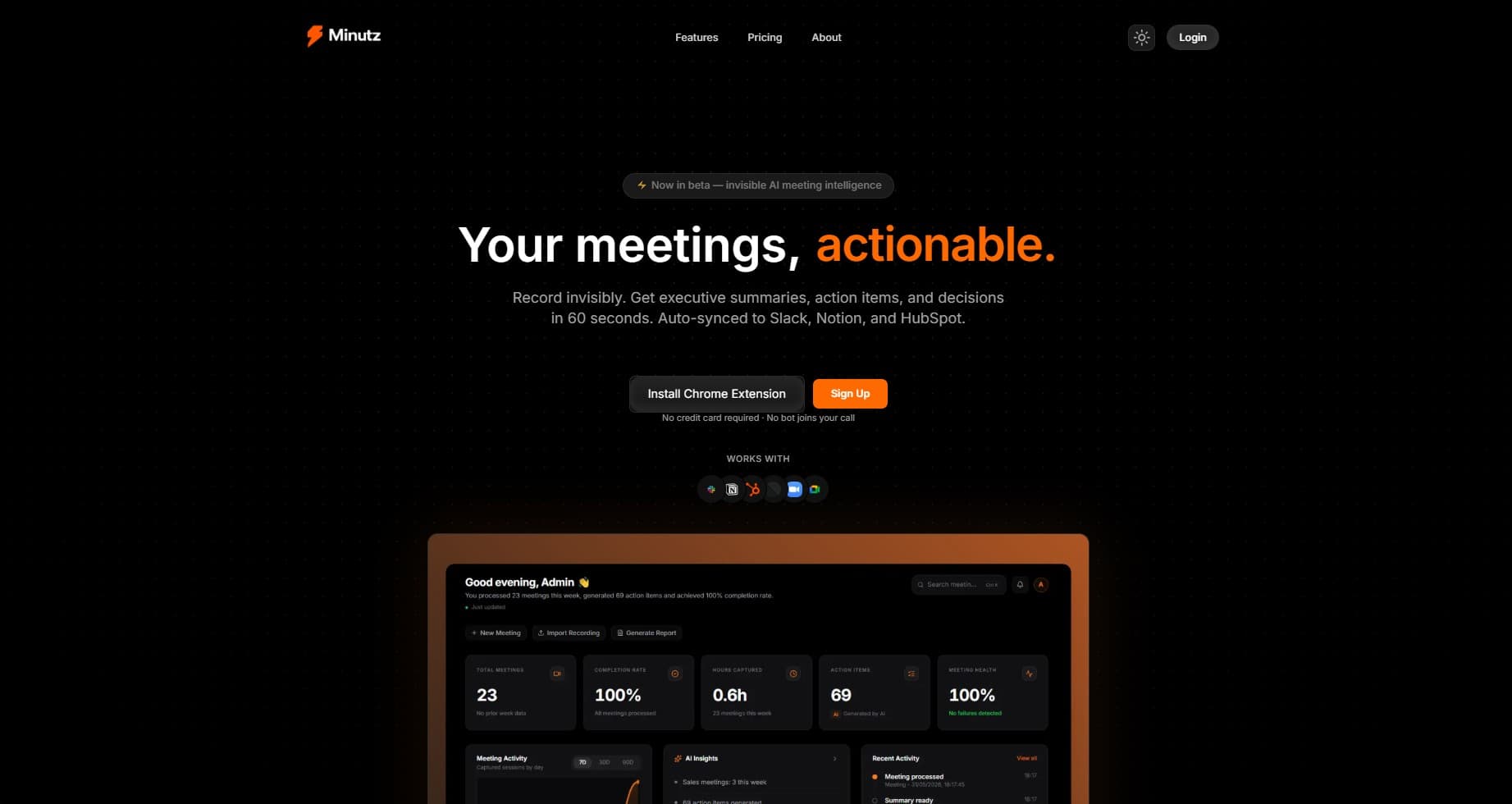
Most meeting recorders work by sending an automated bot (a headless Zoom or Google Meet client) to join the call. While this is straightforward, it is intrusive: bots clutter the meeting grid, require explicit admission, and alert everyone in the room.
When I set out to build Minutz, I wanted an invisible, browser-native solution. No bot joins, no calendar invites, no notifications. Just a lightweight Chrome extension that captures the meeting's WebRTC streams directly inside the browser and feeds them into a FastAPI backend for Whisper transcription and GPT-4o analysis.
However, implementing this in modern Google Chrome extensions meant navigating the sandboxed restrictions of Manifest V3 (MV3). Here is how I overcame these hurdles and built a reliable client-side audio capture pipeline.
[01] the manifest v3 sandboxing dilemma
In Manifest V2, developers could spawn persistent background pages that had full access to standard Web APIs like Web Audio, WebRTC, and media capture interfaces. Manifest V3 replaced these background pages with transient Service Workers.
Because Service Workers lack a visual DOM context, they cannot access APIs like navigator.mediaDevices.getUserMedia. Furthermore, they terminate automatically after a short period of inactivity, which is catastrophic for recording a hour-long meeting.
To capture tab audio natively in Manifest V3, we must utilize a special component: Offscreen Documents.
[02] setting up the offscreen document
An Offscreen Document is a lightweight, invisible HTML file spawned programmatically by the background service worker. Because it runs in a standard window/document context, it has access to the full DOM and all media capture APIs.
First, declare the offscreen permission in your extension's manifest.json:
{
  "manifest_version": 3,
  "name": "Minutz Recorder",
  "permissions": ["offscreen", "tabCapture", "activeTab"],
  "background": {
    "service_worker": "background.js"
  }
}
Then, inside background.js, write a helper function to spawn the offscreen document when the user clicks "Start Recording":
async function setupOffscreenDocument(path) {
  const existingContexts = await chrome.runtime.getContexts({
    contextTypes: ['OFFSCREEN_DOCUMENT']
  });

  if (existingContexts.length > 0) {
    return;
  }

  await chrome.offscreen.createDocument({
    url: path,
    reasons: ['USER_MEDIA'],
    justification: 'Capturing WebRTC/tab audio for live transcription'
  });
}
[03] capturing the tab audio stream
Once the offscreen document is running, it can request the audio stream. In our offscreen script, we use chrome.tabCapture.getMediaStream to capture the audio of the active tab.
// Inside offscreen.js
chrome.runtime.onMessage.addListener(async (message) => {
  if (message.target === 'offscreen' && message.type === 'START_CAPTURE') {
    // Get the stream token sent from the background script
    const streamId = message.streamId;

    const stream = await navigator.mediaDevices.getUserMedia({
      audio: {
        mandatory: {
          chromeMediaSource: 'tab',
          chromeMediaSourceId: streamId
        }
      },
      video: false
    });

    processAudioStream(stream);
  }
});
Note: The background script must generate the stream token using chrome.tabCapture.getMediaStreamId()and pass it to the offscreen document to authorize the capture of the user's current tab.
[04] processing and downsampling audio
The browser captures audio at the system rate, usually 44.1kHz or 48kHz, encoded in 32-bit floating-point PCM. AI transcription services like OpenAI Whisper require 16-bit linear PCM (Int16) at a sample rate of 16kHz.
Doing this conversion on the client side reduces network bandwidth by nearly 80%. We can implement this downsampling using the Web Audio API inside the offscreen document:
function processAudioStream(stream) {
  const audioCtx = new AudioContext({ sampleRate: 16000 });
  const source = audioCtx.createMediaStreamSource(stream);

  // Create a processor node
  const processor = audioCtx.createScriptProcessor(4096, 1, 1);

  source.connect(processor);
  processor.connect(audioCtx.destination);

  processor.onaudioprocess = (e) => {
    const float32Samples = e.inputBuffer.getChannelData(0);
    const int16Buffer = convertFloat32ToInt16(float32Samples);

    // Send binary buffer to background or directly to WebSocket
    sendAudioChunk(int16Buffer);
  };
}

function convertFloat32ToInt16(buffer) {
  let l = buffer.length;
  let buf = new Int16Array(l);
  while (l--) {
    let s = Math.max(-1, Math.min(1, buffer[l]));
    buf[l] = s < 0 ? s * 0x8000 : s * 0x7FFF;
  }
  return buf.buffer;
}
[05] streaming to fastapi via websockets
With the audio downsampled to 16kHz Int16 mono PCM, we stream the raw binary chunks over a persistent WebSocket connection to our FastAPI backend.
const ws = new WebSocket('wss://api.minutz.com/v1/recording/stream');

function sendAudioChunk(arrayBuffer) {
  if (ws.readyState === WebSocket.OPEN) {
    ws.send(arrayBuffer);
  }
}
On the FastAPI backend, we receive the binary frame and feed it into a local buffer. We can apply Voice Activity Detection (VAD) using webrtcvad to segment the audio into utterances before passing them to Whisper:
# FastAPI websocket endpoint
@app.websocket("/v1/recording/stream")
async def stream_audio(websocket: WebSocket):
    await websocket.accept()
    buffer = bytearray()

    try:
        while True:
            # Receive raw PCM bytes
            data = await websocket.receive_bytes()
            buffer.extend(data)

            # Process chunks in 30-second windows for Whisper
            if len(buffer) >= 16000 * 2 * 30: # 16kHz * 2 bytes/sample * 30s
                chunk = bytes(buffer[:960000])
                del buffer[:960000]

                # Send to Whisper transcription worker
                asyncio.create_task(transcribe_chunk(chunk))
    except WebSocketDisconnect:
        print("Client disconnected, closing stream.")
[06] results and key takeaways
By building this browser-native capture pipeline for Minutz, I was able to achieve:
- Complete privacy: No third-party bot joins the call. Tab capture only grabs the meeting audio itself.
- Ultra-low latency: Streaming downsampled Int16 PCM chunks over WebSockets enables near-real-time transcription as the user speaks.
- Minimal server load: Offloading the downsampling and formatting math to the client browser keeps backend computational requirements focused strictly on transcription.
Building Chrome Extensions in the Manifest V3 era forces developers to rethink background processing, but tools like Offscreen Documents and Web Audio API make client-side audio capture robust and highly optimized.